

Best AI Interview Assistant for Coding and System Design
Evaluate AI interview assistants for coding and system design by screen context, reasoning, complexity, diagrams, follow-ups and platform fit.
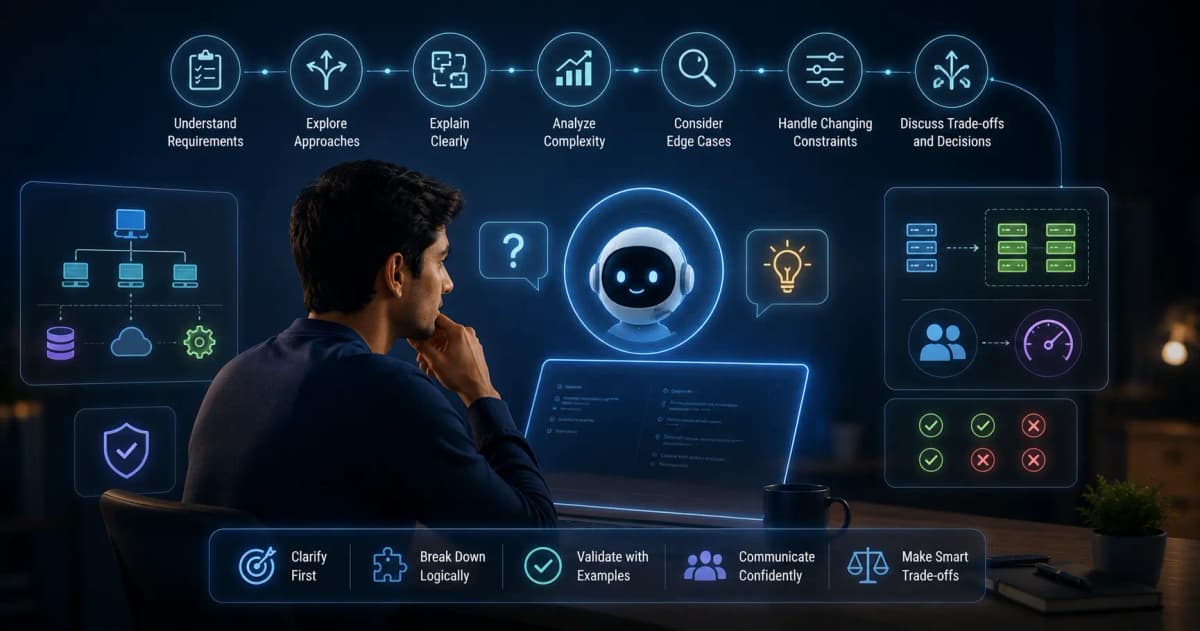
A good AI assistant for coding and system design interviews does more than print code. It helps you pin down the requirements, compare approaches, explain complexity, cover edge cases and adapt when the interviewer changes a constraint. For system design, it should reason about trade-offs and capacity instead of pretending there is one perfect architecture.
This guide shows what to test before you trust a tool, the explanation-first workflow that interviewers reward, and how to review your practice afterwards.
What to test
| Capability | Good evidence | Red flag |
|---|---|---|
| Reading the problem | Captures the problem text and constraints correctly | Misses a negation, a limit or an example |
| Reasoning | Offers a brute-force and an optimised path | Jumps straight to final code |
| Communication | Short explanation bullets you can say aloud | A long script you can't scan |
| Complexity | States and justifies time and space complexity | Big-O with no reasoning |
| Follow-ups | Adapts to a changed input or scale | Repeats the original solution |
| System design | Surfaces requirements and trade-offs | Lists components with no rationale |
| Privacy | Clear control over what is captured | Encourages sharing confidential code |
A fair product trial
Use one medium algorithm problem and one design prompt, and run the same pair on every tool you compare. For coding:
- Restate the inputs, outputs and constraints.
- Ask for a simple approach before optimising.
- Implement while explaining each decision.
- Test empty, duplicate, maximum and invalid inputs.
- Change one constraint and watch how the tool adapts.
For system design:
- Clarify users, traffic, latency, consistency, durability and scope.
- Estimate requests, storage and bandwidth with visible assumptions.
- Sketch the high-level flow.
- Deep-dive into the riskiest component.
- Discuss bottlenecks, failure modes, security and trade-offs.
The explanation-first workflow
Interviewers grade how you think, so an assistant is only useful if it supports this order rather than skipping to the answer.
1. Restate the problem
Summarise the inputs, outputs, constraints and examples, and ask the interviewer to confirm anything ambiguous. A correct solution to the wrong problem still fails.
2. Start with a baseline
Explain the simplest correct approach before optimising. It shows your reasoning and gives you a reference point for the improvement.
3. Choose the data structure
Tie the choice to the operations you need: lookup, ordering, traversal, frequency counting, range queries or priority. Don't name a structure without saying why it fits.
4. Analyse complexity
State time and space complexity in terms of defined variables. Include preprocessing and output size when they matter.
5. Test edge cases
Pick the cases that matter for this problem: empty input, one element, duplicates, extreme values, disconnected components, cycles, overflow or malformed data.
6. Code and narrate
Write in small sections and explain the invariants. If the interviewer changes a requirement, update the reasoning before you patch the code.
How InterviewGPT fits this workflow
InterviewGPT combines:
- live transcription of the spoken question;
- Analyze Screen (Ctrl+Shift+Enter), which reads the problem, diagram or slide on your screen;
- your resume, target role and custom instructions, such as "Use Java for coding questions";
- an answer style you choose: full answer, answer plus key points, or key points only;
- a resizable answer panel and a Chat panel (Ctrl+Shift+A) for follow-up questions;
- session history for reviewing your practice afterwards.
There are no separate coding or system-design modes: the same assistant handles behavioural, coding and design questions, and your instructions shape the answers. The free Invisible Browser is separate and never uses credits. Analyze Screen runs only when you trigger it, so check what it captured before you trust the analysis.
Practice prompts that keep the reasoning visible
In permitted practice, you can ask the Chat panel for a structured answer instead of bare code.
For coding and DSA:
Extract the exact problem requirements first. List assumptions and constraints. Give a brute-force approach, then an optimised one. Explain the data structure, the proof idea, time and space complexity, and five edge cases. Give pseudocode before code. Don't invent missing constraints.
For system design:
Clarify functional and non-functional requirements. Estimate scale with stated assumptions. Propose APIs, a data model, high-level components, data flow, a consistency choice, caching, failure handling, observability and security, plus two alternatives with trade-offs. Mark every assumption.
System design rarely has one correct answer. The quality comes from tying each choice back to the requirements.
A review rubric for practice sessions
| Dimension | Strong evidence |
|---|---|
| Problem understanding | Inputs, outputs, constraints and ambiguities confirmed |
| Baseline | A correct simple approach, explained |
| Optimisation | A clear reason for the data structure or algorithm |
| Complexity | Accurate time and space analysis |
| Correctness | An invariant or proof intuition |
| Edge cases | Relevant tests, not a generic list |
| Communication | Small steps and check-ins with the interviewer |
Score your practice transcripts with it, rather than judging only whether the final code passed.
Common mistakes when using AI help
- Producing code too early. The interviewer can't judge your reasoning if you jump to implementation. Ask for an outline first.
- Ignoring hidden constraints. An O(n²) solution looks fine on a small example. Confirm the input size before you choose.
- Using a pattern you can't trace. Present the clearest approach you can defend line by line.
- Trusting invented APIs or syntax. Models can mix up library versions and languages. Compile and test in practice.
- Treating system design as a component checklist. A cache, a queue and a database aren't a design until their roles and trade-offs connect to scale and reliability goals.
Check what the screen capture read
Before reasoning from a capture, verify every number, inequality, example, diagram label and output format. If the capture is cropped or blurry, zoom in and capture again. The screen vision guide has a full test method.
Which products belong on a technical shortlist?
InterviewGPT, Final Round AI, Parakeet AI, LockedIn AI, Verve AI, Sensei AI and Interview Coder all advertise coding help. Interview Coder is built only for technical rounds; the others cover behavioural interviews too. Don't rank them until you have run the same problem on each and checked that they support your platform.
Use it responsibly
Many coding assessments ban outside help, so follow the written rules. Good uses include private practice, mock interviews, open-resource interviews where help is allowed, explaining your own code and studying public problems. Don't capture proprietary code, leak assessment content or present generated work as your own where the rules require otherwise.
Prepare for failure
Networks drop and permissions change. Be able to continue without any tool:
clarify → examples → simple solution → optimise → implement → test → complexity
For design:
requirements → estimates → APIs and data → architecture → deep dive → scale and failure → trade-offs
Practise both until they're automatic, then review each session: where you misread the prompt, which edge cases you missed, whether your explanation matched the code, and what to study without help. The coding interview preparation plan and the system design preparation plan give you a weekly schedule.
Verdict
Choose a technical assistant only after it proves accurate problem capture, concise reasoning and real adaptation to follow-ups on your own setup. InterviewGPT is a strong Windows-first option when you also want behavioural answers from your resume and a free Invisible Browser. If coding is your only use case, a specialised tool may suit you better.
Compare InterviewGPT alternatives, check current pricing or download the Windows app.