
AI Interview Assistant vs ChatGPT: What Works Live?
Compare a live AI interview assistant with standard ChatGPT by audio capture, context, speed, coding, workflow, privacy and cost.
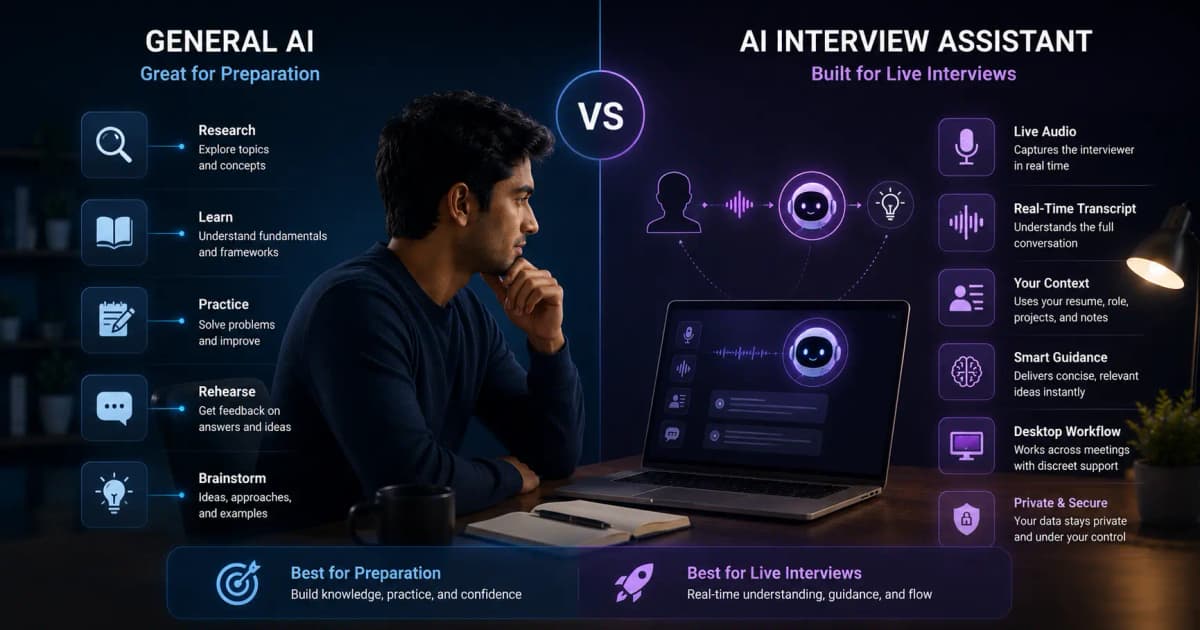
ChatGPT is excellent for interview preparation: researching a role, generating practice questions, refining stories, and simulating follow-ups. A dedicated AI interview assistant adds a live workflow: system audio capture, continuous transcription, resume/job context, concise prompts, keyboard controls, and sometimes coding or screen context. The right choice depends on whether you need rehearsal, live support, or both.
Quick comparison
| Need | General AI chat | Dedicated interview assistant |
|---|---|---|
| Prepare questions and stories | Strong | Usually included, depth varies |
| Automatically hear interviewer | Not in a normal typed-chat flow | Core feature in live products |
| Continuous transcript/context | Requires manual workflow | Built for the session |
| Resume/job personalization | Good when prompted and files are supplied | Usually configured before the session |
| Coding screen context | Manual paste/screenshot in standard use | Some desktop products capture selected screen context |
| Discreet desktop controls | Not the primary interface | Often a core desktop design goal |
| Cost | General plan/free availability varies | Trials, credits, minutes, or subscriptions |
Where ChatGPT is the better tool
Use general AI chat before the interview to:
- Extract required skills and success metrics from a job description.
- Turn real experience into STAR story outlines.
- Ask for skeptical follow-ups and score your evidence.
- Practice explaining a technical concept at three levels.
- Research the company using current, cited sources.
- Remove jargon or shorten a two-minute answer.
This work builds knowledge you retain even if a live tool or network fails.
Where a dedicated assistant is different
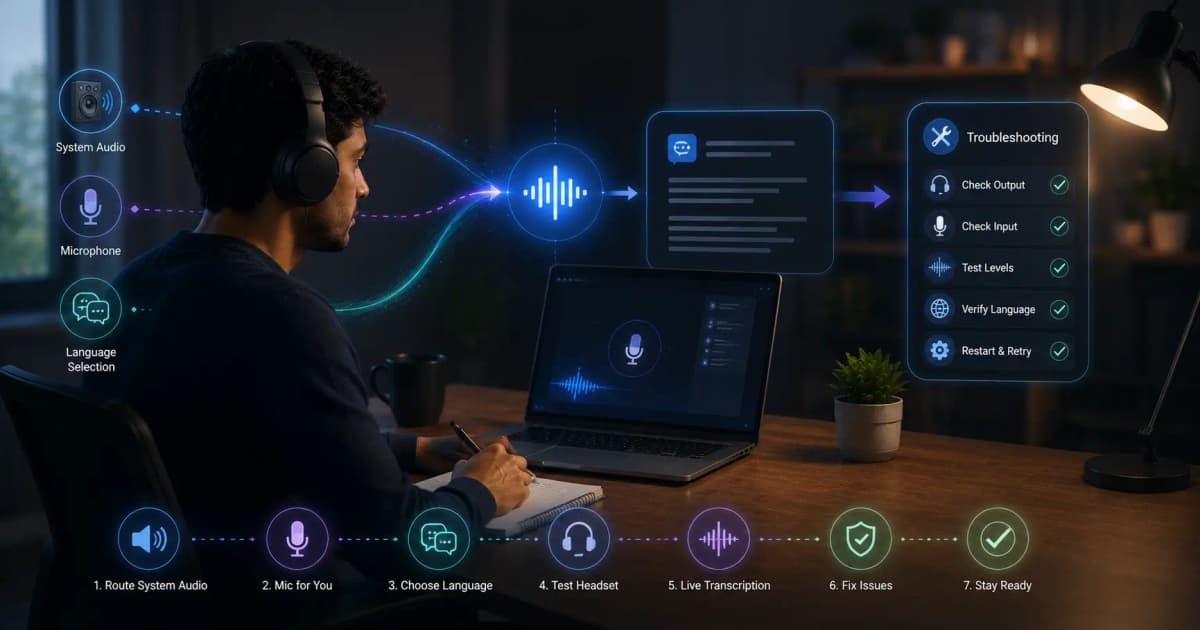
A live AI interview assistant reduces manual steps. It can listen to system audio, recognize a question, preserve conversation context, and surface a response without copying text into another tab. A desktop tool can also offer global shortcuts, screen capture for coding prompts, a companion phone view, session history, and a window designed around glanceable answers.
Those workflow features—not access to “AI” in the abstract—are what you pay for.
The Invisible Browser option
InterviewGPT includes a free embedded Invisible Browser in its Windows app. It can be used as a manual browser workspace, including access to web tools, while remaining separate from the product's live AI-session allowance. It should be described as designed for common supported screen-share setups; behavior still depends on the actual capture configuration.
If manual browsing is enough, this may reduce the need for paid live minutes. If you need automatic transcription and contextual suggestions, start with the free 10-minute sessions and compare the paid options on InterviewGPT pricing.
A better hybrid workflow
Before the interview
Use ChatGPT or another general model to research the role, write a 90-second introduction, build five evidence-backed stories, and rehearse follow-ups. Verify every company fact with a primary source.
During a permitted practice or live session
Use the dedicated assistant for transcription, short structure prompts, and reminders. Keep suggestions brief enough to speak naturally and never use generated achievements that are not yours.
Afterward
Review the transcript, identify weak evidence or rambling, and practice improved answers in a mock session. Delete or export data according to your privacy needs.
Privacy, rules, and failure planning
Read both products' data policies and your interviewer's rules. Do not upload confidential source code, customer data, or proprietary interview material. Run an audio and screen-share dry test and prepare a no-tool fallback: printed story bullets, a problem-solving framework, and questions for the interviewer.
Verdict
Choose ChatGPT for flexible research and practice. Choose a dedicated AI interview assistant when automatic live audio, continuous context, screen/coding workflow, and glanceable desktop controls justify the extra setup or cost. Most candidates benefit from preparation first and live support second.
Read how real-time assistants work, compare the best live AI interview assistants, or download InterviewGPT.